The Best Free Tools for a New Business (and When to Pay)
The best free tools for a small business cover email, documents, payments, and marketing, from free accounting to CRM. Learn the essentials and when to pay.
Quick answer
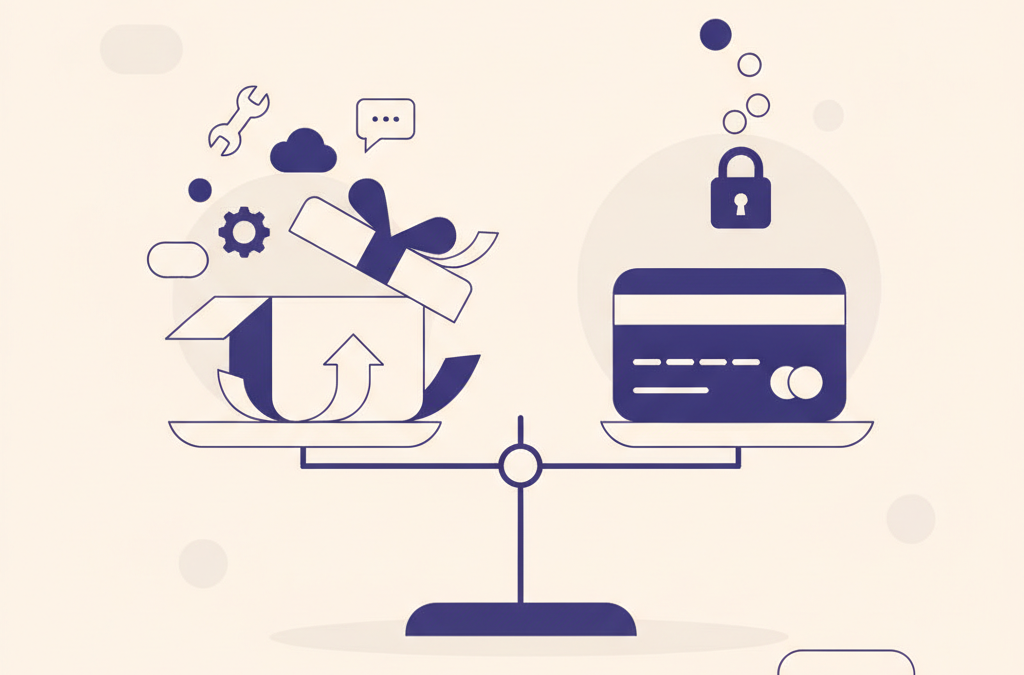
The best free tools for a small business cover the essential jobs cheaply: email on your own domain, free cloud documents and storage, a spreadsheet for money, pay-as-you-go payments, a simple site, one social channel, and a free email list. Use free tiers to validate, and only pay when a real limit costs you time.
When you are starting out, every fixed cost matters, and software subscriptions add up fast. The good news is that a new business can run surprisingly well on free tools for a small business for the first stretch, often long enough to prove the idea works before you pay for anything. This guide walks through the categories of tools a small business actually needs early on, and how to think about free options in each, without naming specific products that may change or disappear.
Choosing tools is one small part of the bigger job of starting a small business. The goal here is not to build an impressive tech stack. It is to cover the essentials cheaply so your money goes toward finding customers, not toward software you barely use.
How should you think about free tools?
Free tools fall into a few types, and knowing which you are dealing with saves headaches later. Some are genuinely free and open, some are free tiers of paid products designed to get you hooked before you outgrow them, and some are free because your data is the product. None of these is automatically bad, but each carries a different trade-off.
The practical rule early on is to use free tools to validate and operate, but avoid building your business so deeply around one that you cannot leave. Before you commit, check two things: whether you can export your data if you need to move, and what happens when you outgrow the free tier. A tool that lets you take your data with you is far safer to rely on than one that locks it in.
Pick tools you could walk away from. Early on, the ability to export your data and switch matters more than any single feature.
What do you need to communicate and get organized?
The first needs are usually mundane: a professional way to email customers, somewhere to store files, and a way to keep track of what needs doing. Free email services are entirely adequate at the very start, though using a custom domain address, even a basic one, looks more credible than a generic free address and is worth setting up early.
For files and documents, free cloud storage and document tools cover writing, spreadsheets, and simple presentations without any cost. For keeping track of tasks, resist the urge to adopt elaborate project management software before you have a team. A simple free to-do or note app, or even a single shared document, is usually enough when it is just you. Complexity in your tools tends to create work rather than remove it.
Do you need a fancy task manager on day one?
Almost never. The best organizational system early on is the simplest one you will actually use every day. A plain checklist beats a powerful tool you find fiddly and abandon. You can always upgrade once you feel a genuine limit, such as needing several people to coordinate. Adopting heavy tools before that point usually just adds overhead.
How do you build a basic web presence for free?
Most businesses benefit from some presence online, and you can start without paying for much. Several website builders offer free tiers that let you publish a simple site, though they often place their own branding on it and give you a less professional web address. That is a reasonable starting point to test whether a web presence brings in customers.
The main cost worth paying early is usually a domain name, which is inexpensive and makes both your website and email look more established. Beyond that, a simple one-page site explaining what you do, who you help, and how to contact you is enough at the start. An elaborate site with many pages is rarely what wins the first customers; clarity and an easy way to get in touch matter more.
What about accounting and getting paid?
You need to track money from your very first transaction, but you do not need paid accounting software to do it. A simple spreadsheet that records income and expenses works perfectly well when volumes are low, so free accounting and bookkeeping software for a small business can wait; it also forces you to understand your own numbers rather than hiding them inside an app. Keep every receipt and record every sale, even the small ones.
For getting paid, many payment platforms let you accept card or online payments with no monthly fee, taking a percentage of each transaction instead. That pay-as-you-go model suits a new business well, because you only pay when you actually earn. As your transaction volume grows, it becomes worth reviewing whether dedicated accounting software would save you time, but that is a later decision. This is general operational guidance, not tax advice, so confirm how to record and report income properly with a qualified professional for your situation.
Which free tools help with marketing?
Marketing is another area where free options go a long way at the start, from free design apps to a free CRM for tracking leads. Social platforms cost nothing to post on, and a single well-chosen channel where your customers already spend time is more valuable than a presence on all of them. Free tools also exist for designing simple graphics, so you can create decent visuals without hiring a designer for early materials.
An email list is one of the most valuable free assets a small business can build, because it is a direct line to interested people that you own, unlike followers on a platform you do not control. Many email tools offer free tiers that are generous enough for a growing list. Setting one up early, even before you have much to send, means you are collecting contacts from your first interested visitors rather than losing them.
When is it worth paying for a tool?
Free tools are a starting point, not a permanent state. The signal to upgrade is not ambition but friction: when a free tier’s limits are genuinely slowing you down, costing you time you could spend earning, or creating a real risk, paying becomes an investment rather than an expense. A few honest questions help you decide.
- Is the limit actually hurting you now? Upgrade to solve a real, present problem, not a hypothetical future one.
- Would paying save meaningful time? If a tool saves hours you could spend on customers, the cost may easily pay for itself.
- Is your data safe and portable? Never let a critical part of your business depend on a free tool you cannot export from or afford to lose.
The overall approach is to start lean, prove the business works on free or near-free tools, and add paid software deliberately as specific needs appear. Money spent on tools is money not spent on reaching customers, so make each upgrade earn its place. Early on, resourcefulness beats a polished stack every time.
What does a sensible starter toolkit look like?
If you want a simple mental checklist rather than a shopping list of products, aim to cover each essential job with the lightest free option that does it well, and nothing more. A workable starting point looks like this.
- Communication: a free email account, ideally on your own domain, plus whatever messaging your customers already use.
- Documents and storage: free cloud document and spreadsheet tools with reliable file storage you can export from.
- Money: a spreadsheet for tracking income and expenses, and a pay-as-you-go way to accept payments.
- Presence: an inexpensive domain and a simple one-page site or profile that explains what you do and how to reach you.
- Marketing: one social channel where your customers are, plus a free email list you start building immediately.
Cover those jobs and you have everything a new business genuinely needs to operate. Everything beyond this list is an upgrade to add later, when a real limit tells you it is time, not a box to tick before you have your first customer.
Frequently asked questions
Can I really run a new business on free tools?
For the first stretch, usually yes. Free email, documents, storage, a spreadsheet for money, pay-as-you-go payments, one social channel, and a free email list cover the essentials. The aim is to prove the idea works before committing to paid subscriptions.
What is the one thing worth paying for early?
Usually a domain name. It is inexpensive and makes both your website and email address look more established and credible than a free generic address, which can matter when you are trying to win your first customers.
How do I know when to upgrade to a paid tool?
Upgrade when a free tier's limit is genuinely slowing you down, costing you time you could spend earning, or creating real risk. Pay to solve a present problem, not a hypothetical future one, and make sure the tool saves meaningful time.
Are free tools safe to build my business on?
They can be, as long as you can export your data and are not locked in. Before relying on any free tool, check that you can take your data elsewhere and understand what happens when you outgrow the free tier, so a critical part of your business never depends on something you cannot leave.
Related
How to Do Keyword Research: A Practical Guide
How to do keyword research the practical way: find, judge and group the phrases your audience searches with free tools, so a…
How to Get a Business License (US Guide)
How to get a business license in the US: a plain-English overview of the general process. Rules vary by state and city,…

Travel Insurance Explained: What It Covers and How to Choose
A plain-language guide to what travel insurance covers, whether travel insurance is worth it, and how to choose a policy by matching…