Digital Declutter: A Calmer Phone and Desktop
A digital declutter clears the invisible noise draining your focus. Quiet your phone, tame your inbox, and clear your desktop without quitting tech.
Quick answer
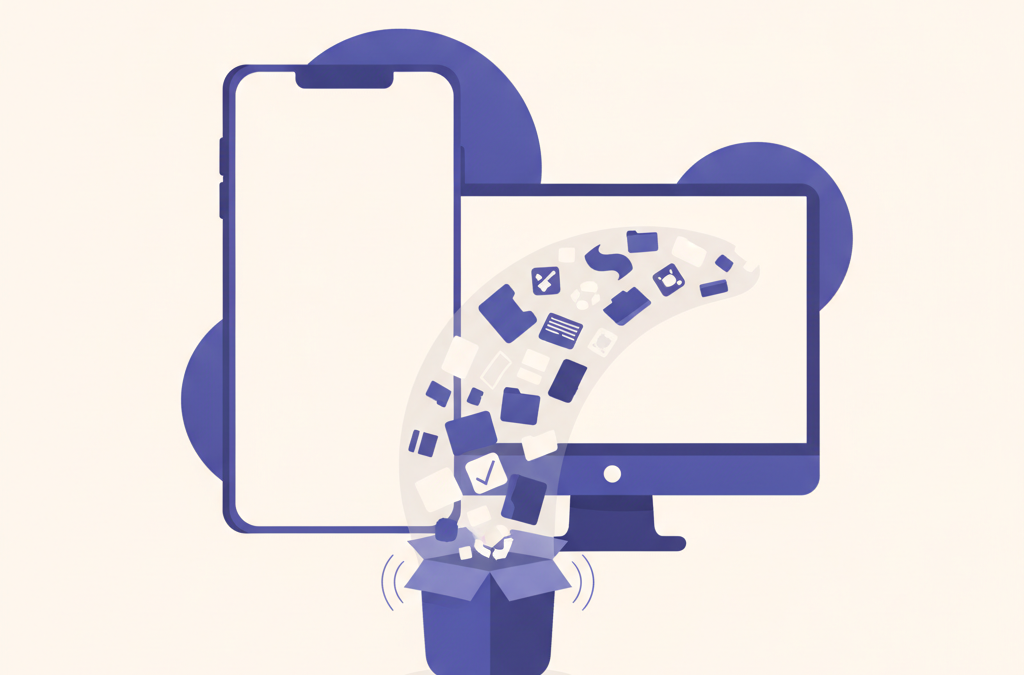
A digital declutter means removing what you do not use and quieting what interrupts you. Start with your phone: delete unused apps and turn off notifications except calls, messages, and calendar. Then unsubscribe from junk email, archive the backlog, sort desktop files into folders, and keep a short weekly tidy.
A cluttered digital life is easy to ignore because it is invisible. There is no messy room to walk through, just a phone that buzzes too often, a desktop buried under files, and an inbox you have stopped opening without a small sinking feeling. But that low-grade digital noise has a real cost. It fragments your attention, pulls you toward your screen when you meant to do something else, and leaves you feeling scattered without ever quite knowing why, which is exactly what a digital declutter sets out to fix.
A digital declutter is simply the act of clearing that noise on purpose. It does not require deleting everything or swearing off technology. It means removing what you do not use, quieting what interrupts you, and organizing the rest so your devices work for you instead of the other way around. The goal is a calmer, more deliberate relationship with your screens, and it is more achievable than it sounds.
Where should you start a digital declutter?
Start with the thing you touch most: your phone. It is the device that interrupts you dozens of times a day, so cleaning it up delivers the biggest and fastest sense of relief. Trying to declutter everything at once usually ends in overwhelm and a half-finished job, so pick one device and go from there.
Before you touch anything, spend a moment noticing what actually bothers you. Is it the constant notifications? The apps you open on autopilot? The photos you can never find? Naming the specific irritation tells you where to aim, so you fix what is genuinely draining you rather than tidying at random. A declutter guided by a real annoyance sticks; a vague urge to “organize everything” rarely does.
How do you clean up your phone?
Begin with apps. Go through your phone and be ruthless about what you actually use. Any app you have not opened in a month or two is a candidate for deletion. You can almost always reinstall it later if you turn out to need it, so there is little risk. Removing unused apps clears visual clutter and, more importantly, removes the little temptations that pull you in when you unlock the phone for something else.
Next, take on notifications, which are the single biggest source of digital distraction. By default, nearly every app wants to interrupt you, and most of those interruptions are for the app’s benefit, not yours. Turn off notifications for everything except the handful that genuinely need your immediate attention, like calls, messages from real people, or a calendar alert. Social media, games, shopping, and news almost never need to buzz you. This one change alone can transform how often you reach for your phone.
Then organize what remains. Move the apps that pull you in without thinking, the endless-scroll ones, off your home screen and into a folder or a later page, so opening them takes a deliberate extra step. Keep your home screen for tools you use with intention. The small friction of an extra tap is often enough to break an automatic habit, because much of that scrolling is triggered by simply seeing the icon.
What about photos and files on your phone?
Photos pile up fastest of all. You do not need to sort thousands of images in one sitting; that is a recipe for giving up. Instead, do a quick pass to delete the obvious junk: blurry shots, accidental screenshots, duplicates, and photos of things you saved for a moment and no longer need. Even a ten-minute sweep noticeably lightens the load, and you can make it a small recurring habit rather than a massive one-time project.
How do you tame your inbox?
An overflowing inbox is one of the most common sources of digital stress, and the number of unread messages is rarely the real problem. The real problem is usually the steady stream of incoming email that does not deserve your attention. So fix the inflow first. For a week, every time a promotional or newsletter email arrives that you never actually read, unsubscribe instead of deleting. It takes a few extra seconds now and saves you from that same email forever.
Once the inflow is quieter, deal with the backlog without trying to reach a perfect empty inbox in one heroic session. A practical shortcut is to archive everything older than a couple of weeks in one move. If a genuinely important message is in there, the sender will follow up, and you can always search for anything you need. Old email you have not touched in weeks is almost never as urgent as its unread count implies.
Going forward, keep it simple. Resist building an elaborate system of dozens of folders and rules; complicated systems tend to collapse. For most people, a light touch works best: deal with a message when you open it where you can, archive it when it is done, and rely on search rather than filing to find things later.
How do you declutter your computer?
The computer desktop is where files go to be forgotten, so this is where you declutter digital files in earnest. A screen crowded with icons is both visually draining and a sign that things have no proper home. Aim for a nearly empty desktop. Create a small number of broad folders, such as one for current work, one for personal, and one for things to sort later, and clear the loose files into them. You do not need perfect organization, just a place for things to live that is not your desktop.
Do the same for your browser, which quietly accumulates its own mess. Close the tabs you have been keeping open “just in case,” since a wall of tabs is both a distraction and a drain on your attention every time you glance at it. If a tab holds something you want to return to, bookmark it and close it. Go through old bookmarks too and delete the ones you will clearly never revisit. A browser with a few open tabs feels dramatically calmer than one with forty.
How do you keep it from piling back up?
A one-time cleanup feels great, but without maintenance the clutter creeps back within weeks. The lasting win comes from small, repeated habits rather than another big purge. A short weekly tidy, ten minutes to clear the desktop, delete junk photos, and unsubscribe from anything that annoyed you that week, keeps things from ever getting bad again.
Turning that maintenance into an automatic routine is really a habit-building challenge, and the same tools that make any habit stick apply here. Anchoring the tidy to something you already do each week and keeping the task small enough that you will not dread it are what make it last. If you want a fuller framework for that, see our guide on how to build habits that actually stick.
Most of all, be a little more deliberate about what you let in. Before installing a new app, ask whether you truly need it. Before subscribing to another newsletter, ask whether you will read it. Digital clutter accumulates one careless yes at a time, and a slightly more thoughtful default is what keeps your devices calm for the long run.
Does a calmer phone actually change anything?
It is fair to ask whether any of this matters or whether it is just tidying for its own sake. The honest answer is that the point is not a neat phone; it is a less interrupted mind. Every notification you silence and every autopilot app you remove is one fewer pull on your attention across the day. Those small reclaimed moments add up to a genuine difference in how present and focused you feel, which is the real reason to bother at all.
Frequently asked questions
Where should I start decluttering my digital life?
Start with your phone, since it interrupts you most and cleaning it gives the fastest relief. Notice what actually bothers you first, whether that is notifications, autopilot apps, or lost photos, and aim your effort there rather than trying to fix everything at once.
How do I stop my phone from distracting me so much?
Turn off notifications for everything except the few things that truly need your attention, like calls, real messages, and calendar alerts. Then move endless-scroll apps off your home screen so opening them takes a deliberate extra tap, which breaks the automatic habit.
How do I deal with a huge email backlog?
Fix the inflow first by unsubscribing from newsletters you never read. Then archive everything older than a couple of weeks in one move. Anything genuinely important will get a follow-up, and you can always search for what you need.
Do I need a complex system of folders and rules?
No. Elaborate systems tend to collapse. For most people a light touch works best: deal with things when you open them, archive when done, and rely on search rather than detailed filing to find things later.
How do I keep digital clutter from coming back?
Replace the big cleanup with a short weekly tidy of about ten minutes, and be more deliberate about what you let in. Clutter builds one careless yes at a time, so pausing before installing an app or subscribing keeps devices calm.
Related
How to Choose a Laptop: 2026 Buying Guide
How to choose a laptop in 2026: a jargon-free guide to reading a spec sheet, matching RAM, SSD, screen and battery to…
How to Avoid Jet Lag: Practical Ways to Adjust Faster
Learn how to avoid jet lag with practical, evidence-informed habits, from pre-trip sleep shifts and daylight timing to hydration, so your body…
What Is Compound Interest? A Simple Explanation
What is compound interest? A simple explanation of how money grows on its own growth, why time matters more than the rate,…